My product · Email marketing software
Building and running Maildroppa
I build and run Maildroppa, an email marketing platform for small businesses. It brings signup forms, contact management, campaigns and automated email sequences together.
I founded Maildroppa after looking for a simpler way to run email marketing. I still lead product and engineering, write code and deal with the support questions that come in after a release.
Follow a subscriber from signup to the next email in a welcome series, then see three decisions that shaped how the software works.
Email marketing for small businesses
I built Maildroppa because I needed a straightforward way to attract subscribers, send email campaigns and stay in touch with readers.
The product is for people who run their own business and manage their own customer communications. They need to collect signups, choose recipients, design emails and set up recurring sequences.
Someone can go from a new signup to a follow-up campaign without moving subscriber data between tools.
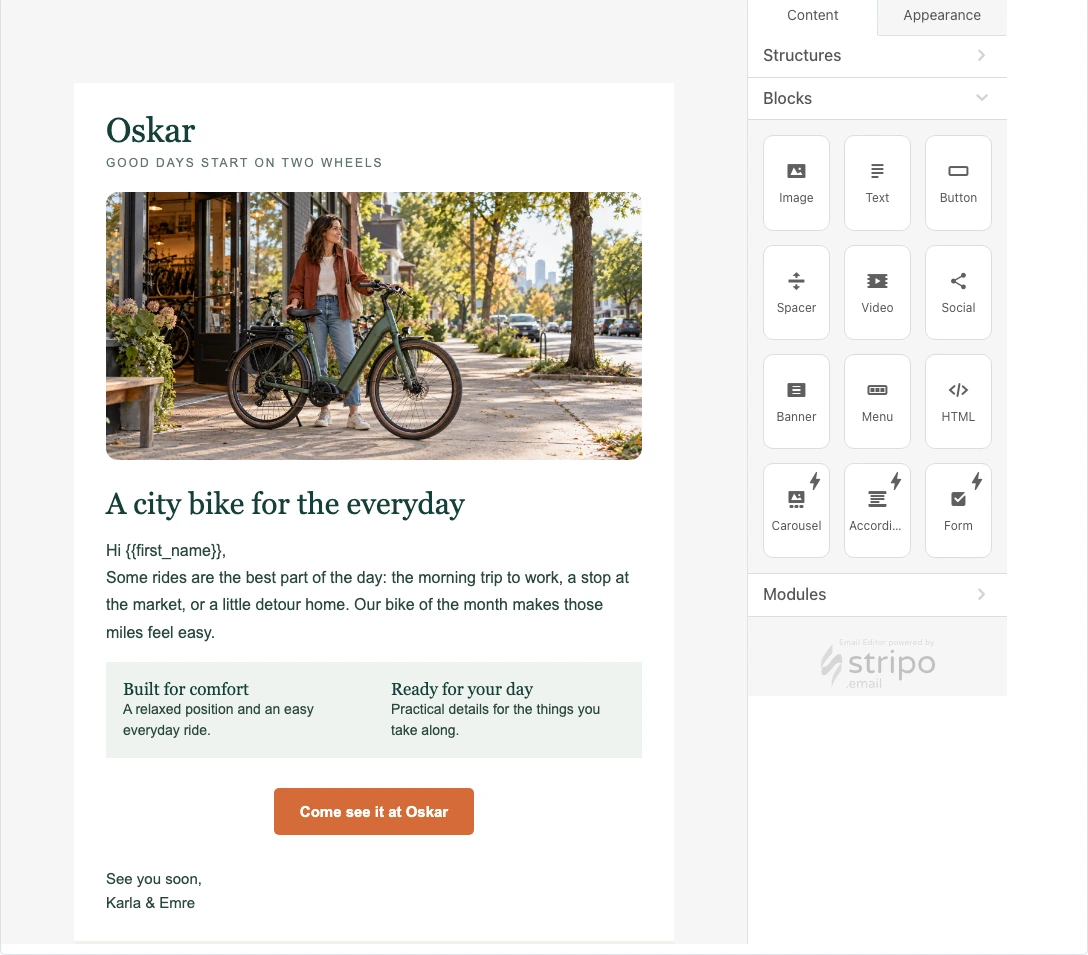
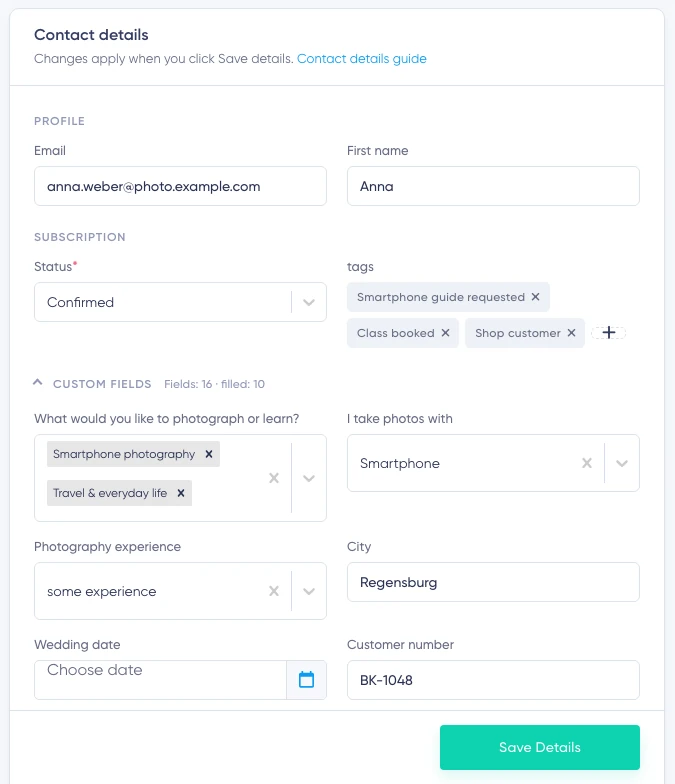
The screenshots come from three separate demo accounts: a photography school, a sheep farm and a bicycle shop. Each shows one part of the same product workflow.
My role
I set the product direction, design the architecture, and write code for Maildroppa.
While building the product, I led a distributed team of developers, designers, and technical writers.
More about working with meMy work includes
- deciding which features to build
- designing workflows and screens
- evolving the architecture and data model
- building the Java backend and React frontend
- connecting third-party services and APIs
- deploying and running the application
- answering support questions and using that feedback to improve the product
I see each feature through from its design to daily use. Feedback reaches me directly and helps me understand problems and prioritize improvements.
How Maildroppa works
Growing and organizing a subscriber list
Businesses use forms and landing pages to grow their subscriber lists. Fields, tags and segments help organize contacts and choose the right recipients.
The same subscriber details can drive later campaigns and automated sequences.
Creating emails and sending campaigns
Users design emails visually and prepare them to send. The integrated Stripo editor provides content blocks for text, images and buttons.
The campaign workflow brings recipients, content, send scheduling and reporting together. Users can follow a campaign from its first draft through to the results.
Automate recurring communications
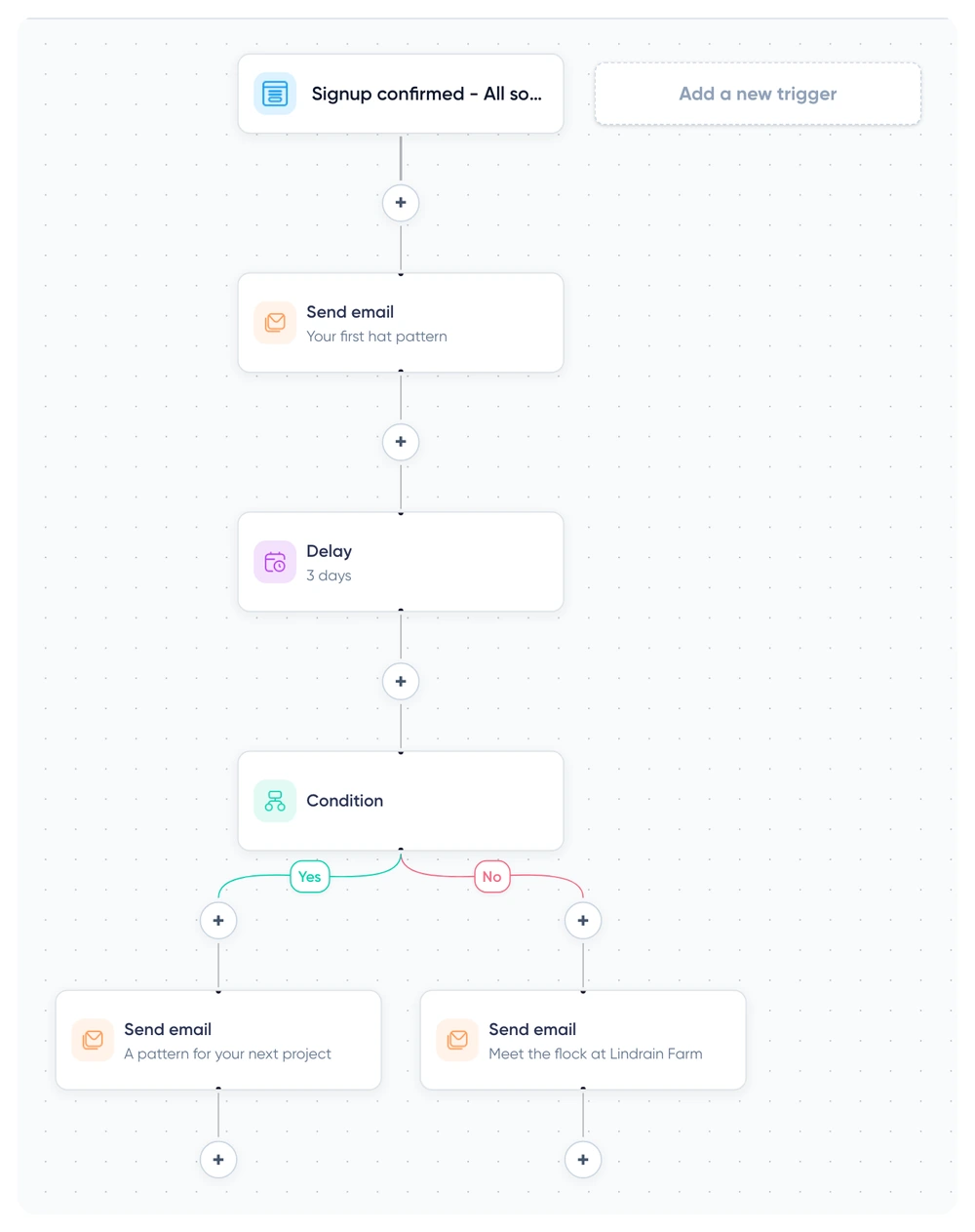
The visual automation editor connects triggers, emails, delays and conditions into a sequence.
A business can welcome a new subscriber, deliver the guide they requested and follow up with another email.
Connect existing tools
Maildroppa connects to tools customers already use through its WordPress plugin, Zapier integration, and webhooks.
Examples include website signups, changes to contact details and events that start an email automation. Webhooks can exchange data with other systems.
More about APIs and system integrationFrom signup to an email sequence
A small business offers a guide on its website. After a visitor confirms their email address, they should get the guide and a follow-up message.
For example, Lindrain Farm sends a welcome email as soon as someone confirms their signup. Three days later, a condition determines whether they receive a knitting pattern or an invitation to visit the farm.
- A visitor enters their details in the signup form.
- They confirm their subscription.
- An automation sends the requested content.
- A follow-up email goes out after a set delay.
- The sequence can branch depending on the interests recorded for that subscriber.
Forms, contact records, confirmation, automation rules and email delivery all work together.
Three product decisions I had to make
Editing an automation that’s already running
Contacts may already be partway through an automation when someone edits it.
Maildroppa lets the user create a new version. Contacts already in the sequence can finish their original version, while new contacts enter the updated one.
I chose how versioning would work in the editor, how to store the versions, and how the delivery service would handle contacts already in flight.
Data imports and their impact
When importing subscribers, users choose whether the import should trigger matching automations. They can bring across existing contacts without starting a welcome sequence for everyone.
I defined how imports interact with automation triggers, so a business moving over an existing list can decide which contacts should join the series.
What I build and what I integrate
Maildroppa combines its own product logic with specialized components and external services. One example is the integrated email editor.
I define what subscriber and campaign data the editor receives, what it returns, and how the next step looks to the person preparing the email. The editor, sending and reporting stay part of one workflow.
Technical implementation
Maildroppa uses a Java backend, a React frontend, and a MariaDB database.
| Area | Technologies used |
|---|---|
| Backend and business logic | Java, Quarkus |
| User interface | React, TypeScript |
| Data storage | MariaDB |
| Deployment | Docker |
| System integrations | APIs, webhooks, a WordPress plugin and Zapier |
My work spans product features, database changes, integrations, deployment and support.
A new release needs to work with the records customers already have and the email sequences already in progress.
Improving a product while it’s in use
Once a feature is released, I can see how people use it. Is the process clear? Does it handle their input correctly? Does it fit the rest of the product?
At Maildroppa, that feedback comes directly to me. I handle support requests, investigate technical issues and keep developing the product.
Seeing what happens after release informs my planning and engineering decisions on new projects.
What this experience means for your project
I can help you turn a collection of features into a software product people can actually use.
I use these questions to help you plan a first release.
- What should someone be able to do from start to finish?
- What information will they need at each step?
- Which services or systems should the product connect to?
- How will a change affect existing records or work already underway?
- Who will build, run, and maintain the software?
I’ll help make those decisions with you and work on the code that puts them into practice.
More about SaaS and MVP developmentAre you planning your own software product?
Tell me about your idea or show me the current application. We can choose a useful next release and put a scope and estimate around it.
Other project inquiries: Web application · Take over an existing product · Add an AI feature · Bring me onto your team.
Prefer to talk first? Call +49 171 1151013 or message me on LinkedIn.